
Introduction to React
Introduction to React
React is a popular JavaScript library for building user interfaces, especially single-page applications. It is maintained by Facebook and a community of individual developers and companies.
What is React?
React is a declarative, efficient, and flexible JavaScript library for building user interfaces. It allows developers to create large web applications that can change data without reloading the page. Its main goal is to be fast, scalable, and simple.
Benefits of Using React
- Declarative: React makes it easy to create interactive UIs. Design simple views for each state in your application, and React will efficiently update and render just the right components when your data changes.
- Component-Based: Build encapsulated components that manage their own state, then compose them to make complex UIs. Since component logic is written in JavaScript instead of templates, you can easily pass rich data through your app and keep state out of the DOM.
- Learn Once, Write Anywhere: You can develop new features in React without rewriting existing code. React can also render on the server using Node and power mobile apps using React Native.
Understanding Single Page Applications (SPAs)
A Single Page Application (SPA) is a web application that interacts with the user by dynamically rewriting the current page rather than loading entire new pages from the server. This approach avoids interruption of the user experience between successive pages, making the application feel more like a desktop application.
Setting Up the Development Environment
To start developing with React, you need to set up your development environment. Follow these steps:
Step 1: Install Node.js
First, ensure you have Node.js installed on your machine. You can download it from nodejs.org.
Step 2: Create a New React Application
Open your terminal and run the following command to create a new React application:
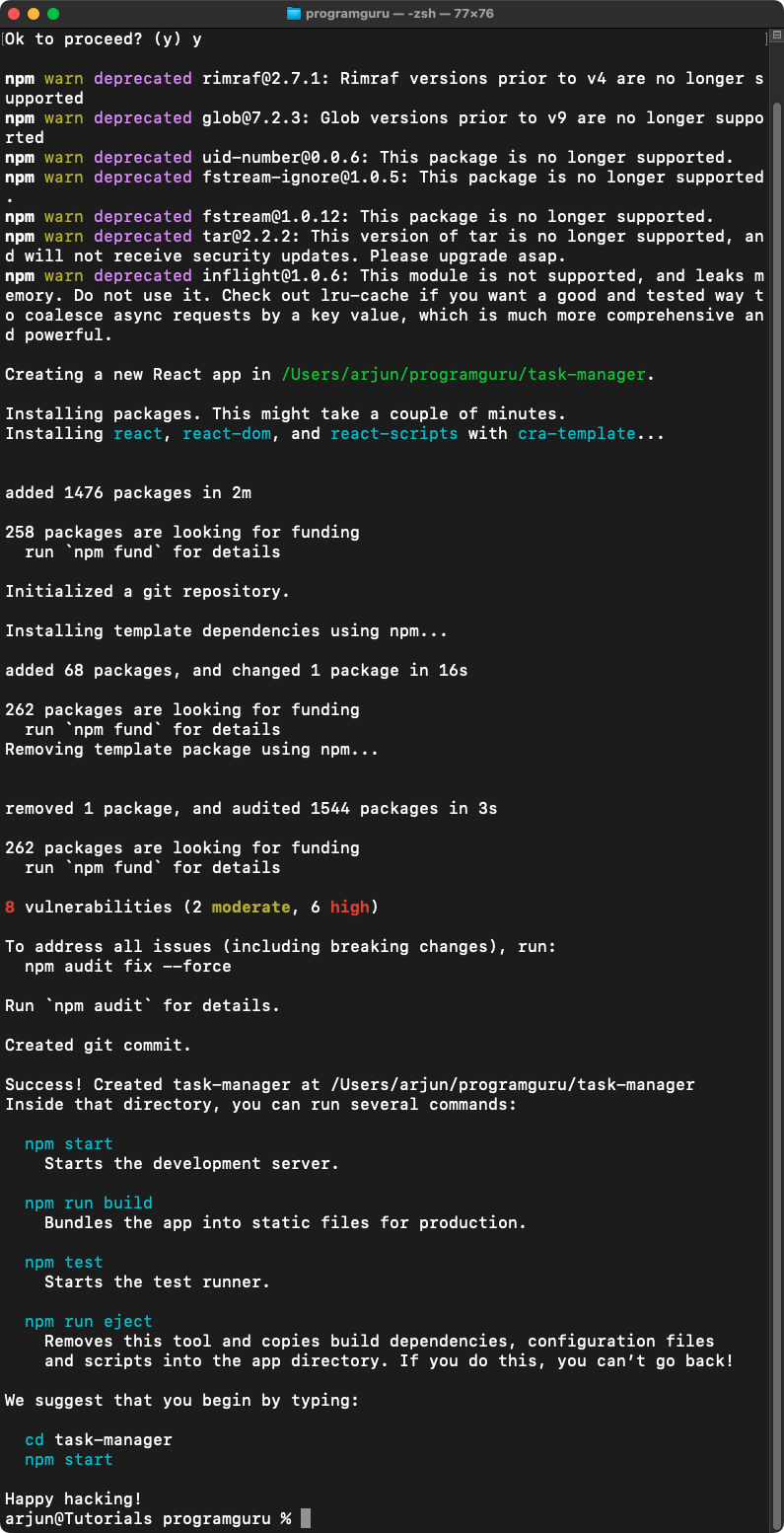
npx create-react-app task-managerThis command will create a new directory called task-manager with all the necessary files for a React application.

If create-react-app is not installed, you get this prompt whether to proceed. Type y and proceed. Now it installs create-react-app and its dependencies.
Step 3: Navigate to the Application Directory
Move into the application directory by running:
cd task-managerStep 4: Start the Development Server
Start the React development server by running:
npm startThis command will start the development server and open the application in your default browser. You should see the default React welcome page.


Conclusion
In this tutorial, we introduced React, discussed its benefits, explained Single Page Applications, and set up the development environment. In the next tutorial, we will begin building the task manager application by creating components and managing state.